Category: Design

  • Case Study: User Research Strategy for BenchSci

    Case Study: User Research Strategy for BenchSci

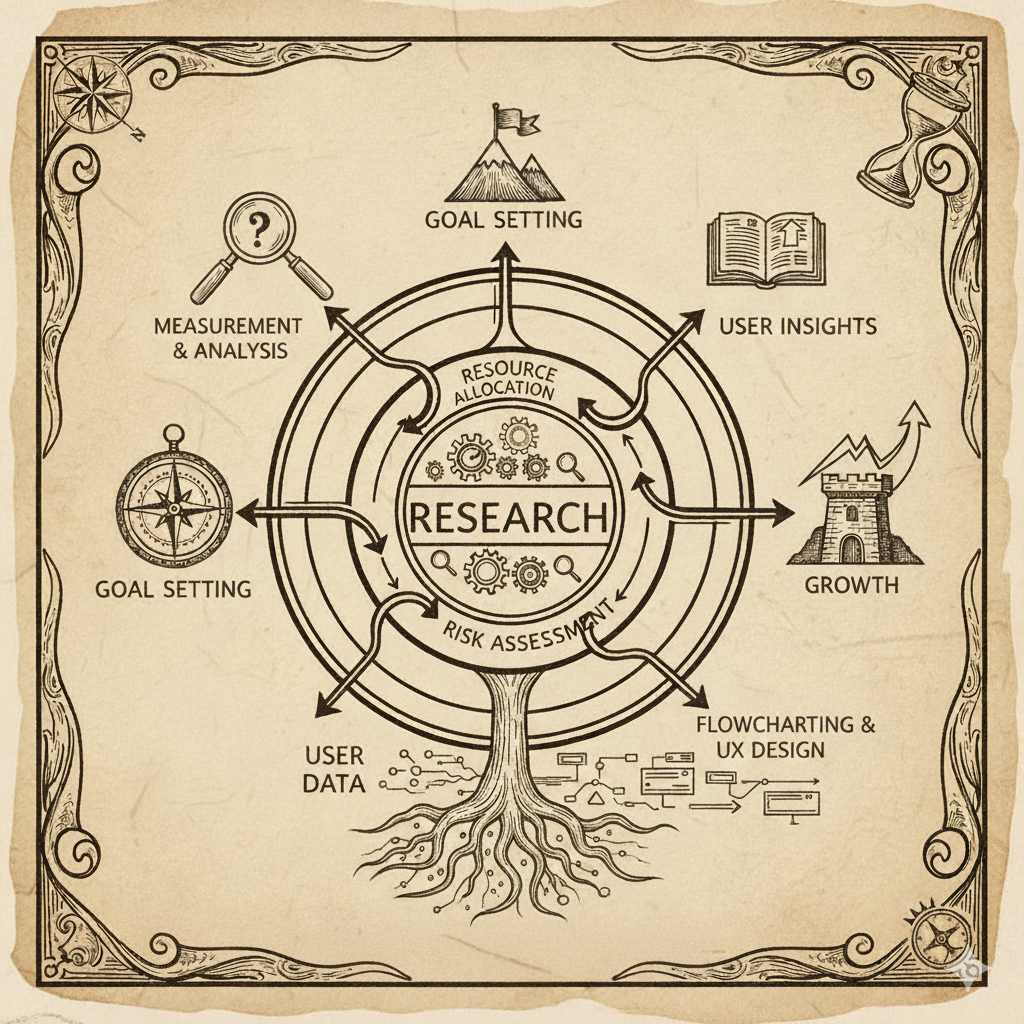
    An overview of high level strategy, with concepts of operation for illustration.

    First Principles: Why do we need user research?

    Without constant buyer and user feedback how would companies dial in and course correct product?  Researchers help answer the endless stream of questions around what to make and how to build. Great researchers translate learning to words and ideas anyone in a company grasps. Great researchers answer questions with data when decisions are made and not 3 weeks later. Great researchers can anticipate helpful inputs and work independently to answer questions not yet asked. When teams don’t have answers or don’t seek them out, they fly blind.

    Scope: where we play. 

    We answer questions involving pharma customer users and buyers on behalf of anyone on a product development team (CFT) or senior leadership, with primary accountability to product management. We deliver first insights to most questions within a day and build confidence over 1-2 weeks.

    Okay, break down why that matters?  

    Speed is key: History tells us that many successful companies first succeed because they are able to experiment, build, and refine more efficiently (and test more ideas) than competitors. Companies rarely get the right answer the first time.

    Keep customers and buyers close. Know the difference: Successful teams frequently and opportunistically reach out to customers and develop proxies (e.g. academic scientists) to speed up work. Anyone, Product Managers, Designers, Engineers, could participate in research: Attending calls, putting ideas to customers or proxies, independently learning. No priesthood sits between the team and customers acting as a sole source of contact and interpretation. We believe teams work best, align well, and stay focused when each member hears directly from customers.  

    Be cash aware, but not miserly:  BenchSci is not yet cash flow positive, nor is it entrenched. We run on a time clock. We earn seconds on days where deals sign, funding arrives. Market challenges cost us seconds. Because this clock never stops, we always need to consider the opportunity cost of our operational decisions. Have all the people you need and no more. Find a good compromise between speed and precision. If in doubt, go cheap and fast. 

    So how do we enable agile-speed answers …with Pharma?

    What does the customer landscape look like? Pharma scientists as a group are very distinct from consumer software targets like tax prep: 

    • Not easy to recruit thru un-moderated testing pools (we tried)
    • Show data they know in prototypes. Scientists respond very differently to data they know or techniques they work with frequently. 
    • Expensive to recruit outside of customers. Engaging a research recruiting agency costs ~$1000 per hour, with a 2-4 week recruiting time, and limited ability to record
    • Favors, no comp. Customer scientists cannot be paid in any way for feedback – they volunteer out of good will or self-interest
    • Busy Scientists are busy, well paid, professionals: there are many calls on their time and many companies looking to sell or collect feedback. Setting up calls can take a week or two at best with scientists we have an established relationship with.
    • Secrecy: Drugs take a long time to reach the market, with significant first to market advantage. Research takes a while but is easy to ‘steal.’ So Pharmas build walls of access and protect their data. 
    • Difficult access: Onsite visits, particularly to facilities with manufacturing and research often require pre clearance and elaborate preparation, with limited ability to explore. Labs are often off limits, both due to secrecy and the polarizing nature of experiments which may use live animals.

    Other qualities of our offering affect research: 

    • Low organic usage per user (1-2 active monthly sessions for engaged users. A typical  session may span many looker sessions) 
    • Low total numbers of very high value users- ‘lead scientists’ are equivalent to engineering or product directors in a company like ours. When we are successful we may have thousands of users: a company like Facebook has billions. That changes how we can learn.
    • Flows are exploratory, not linear or narrative. Unlike shopping checkout, business forms, or other linear flows, scientists use us more as a non-linear workspace. This makes it harder to learn with high polish, mostly linear, limited interactivity, slide-like prototypes of the kind made by Figma.

    How does the landscape shape our response? (our strategy for excelling in this environment) 

    Solving for: low numbers of high value, difficult to access, unpaid customer participants.

    • Pre-recruited proxy users – fast access, allows us to answer select questions with good correlation to ideal participants. Informally we call our set of industry scientists and academics our “academic pool,” and we compensate so we get reliable participation. 
    • Make the most of time: focus on techniques which extract the richest data per session and make participants feel value so they come back(ex. fewer but high quality moderated sessions which make use of many sub techniques as opposed to many surveys with low response)
    • No touch deep observation (aka FullStory, Looker). 
    • Rely on available artifacts. We might not go to a lab, but we can see what story the slides, figures, sheets, and other artifacts tell about a process. For example, governance reports shed great insight into how customers value and contextualize different scientific information.

    Solving for: Infrequent usage 

    • Separate training from real sessions – cross software data correlation (SFDC training dates, users, looker data.)
    • Extend use to academia to scale user numbers – i.e. we get more users we can learn from
    • Automated question capture – we capture when someone puts a question to XXX, inputs a structured query to YYY or ZZZ, or any future input in a yet to be developed product. We then passively track their response to our output. 
    • See every session – ex. fullStory segmenting

    Solving for: Scientists respond differently to data they know

    • Ensure scientific accuracy of research materials (low fidelity, high fidelity, engineered prototypes, cards for sort etc…)
    • Where possible, match the materials to the participants background – e.x. Show publication examples relevant to the scientist’s specialty
    • In prototypes, favor data accuracy and interaction over visual fidelity. I.e. A spreadsheet or informal engineering prototype may be richer for us than a refined figma. Vibe coding tools such as vercel can help in specific cases.

    Solving for: Keeping up with engineering speed (agile) 

    • Decentralized / High Autonomy — Dedicate a researcher to each team that matters. Give them full authority to do the work. Emphasize fast, informal, flexible working where insight for a question happens in a day not weeks. Emphasize direct PM/Engineering contact with users to pre-build empathy. These are hallmarks of a research operations concept called continuous discovery/validation.
    • Keep cost per insight or session as low as possible- Lower cost means more sessions
    • Focus team core on enabling, coaching,  and unblocking. For example: securing budget and executive buy-in, coordination of initiatives with go-to-market(GTM), coaching and teaching. 
    • Reduce long lead/ tail items on research through automation or process reduction. E.x. recruiting and de-emphasized write-up.

  • AI for User Research @ BenchSci: Tactics that worked.

    AI for User Research @ BenchSci: Tactics that worked.

    TLDR: For our use: maybe 5% more speed with acceptable quality. Biggest benefit: coding for spreadsheets / data analysis.

    Context –

    Until recently, I ran user research benchSci, and mentored designers and product managers. We put heavy emphasis on effective decision support for product strategy (building the right things) in addition to the usual kinds of design/PM support. We did not do market/communications research. I’ll try to limit this to user research and not general productivity. Doctrinally we followed the principles of continuous discovery / validation with a small user base. 

    Rules of the road for the Research team

    AI helps if it accelerates some balance of speed or quality while respecting the rules.

    • If you bring data to stakeholders too late, it’s not helpful.
    • If the data you bring is misleading, its not helpful.
    • numbers speak powerfully, but avoid misleading quantification.
    • avoid jargon- always assume you speak to a design/product outsider with no interest in the finer points of CIs and statistical significance.
    • stakeholders only tend to check work when the conclusions are inconvenient and trust it when they agree with it. Have your homework ready.

    We Explored AI for

    • rapid prototyping
    • synthetic users
    • data analysis
    • automating review/extraction from recorded calls
    • LLM as judge for design evaluation
    • writing for UX
    • general writing
    • perf reviews
    • making historical research accessible.

    Not Explored

    We did not explore uses where we already had reliable and effective automation or absolutely required human oversight (recruiting /compensation pipeline)

    Where LLMs really helped: 

    1. Writing for UX. Designers are often tasked with key bits of text in the UI. As a group, designers do not write well. This was a big win for new products/features.
    2. For us, 1 in 10 studies demanded low visual fidelity, highly interactive prototypes, with domain accurate content. Figma sucks at that, particularly tabular data and data visualizations. Vibe coding really helped that. This benefited new / early ideas more than shipped features in refinement/optimization. When it made the difference, it really made a difference.
    3. Spreadsheet like a pro. 
      There was always some project that required fusing different data, even for things like survey data fused to SFDC outputs. Advanced spreadsheet work is a kind of coding. The research team can do a little stats, we’re perceptive observers, and good interviewers. Not everyone on team can own spreadsheets like a financial analyst. This helped a lot with a small number of critical projects.
    4. Tone on general comms- 
      Used ‘LLM as judge’ on communications. For critical written company communications and things like performance reviews, LLMs definitely helped avoid gotchas— they didn’t improve speed or productivity but made sure poorly chosen words didn’t trigger morale or cause defensiveness. 
    5. Making historical research accessible 
      We tried a few approaches to this, starting with adding research reports to a notebookLM. In the end we found more consistent results by translating research reports to markdown and bullet pointing them for LLM. Getting the organization to go and ask was an institutional barrier we worked to overcome: PMs still preferred to use the researcher on team as a human encyclopedia in meetings. Senior leaders, when they chose to ask approached me directly.

    Shows some promise, but not there for us

    While applying just a foundation model might not work… there is much to try with hybrid approaches.

    1. Synthetic users for ‘attitudinal/behavioral’ questions
       (i.e. ‘what are your biggest challenges with ‘x’ )Again, this is a mixed bag depending on how much underlying high-quality data we had. It felt like we never got to critical mass – it works great when say a newly hired PM or designer asks an ‘old’ question where established data exists.  We used a pseudo-RAG approach (.md files accessed via cursor prompt against different models) It wasn’t as good as our control (‘ask a researcher thru slack’) in terms of quality, but response time was better.
    2. Getting insight from interview transcripts. Ideally automated insight.
      This is another one we really want to work, especially in an automated way. We had a lot of recorded conversations with customers well beyond research sessions. Both the services team and ours would love to get data from them without the time cost of manual review. So, we wrote some custom prompts as well as using dovetail’s evolving toolset. We saw improvement, but not enough maturity to save time: Commonly extracted data confused speakers (customer vs us), generalized away details, and depended on high quality transcripts. Bio research is a jargon heavy, with researchers from all over the world who have different command of English. It wouldn’t save us enough time while delivering accurate insight. This wasn’t strictly an LLM problem, it’s a data quality problem.

    Unhelpful with state of art in 2025

    We saw a good chance outputs may drive confidently bad decisions. Not confident that base foundational models will focus on these – it may require custom / external evaluators.

    1. LLM as heuristic judge for basic usability issues. 
      We really wanted this to work. This is a subcategory for synthetic users. In early designs you often find a lot of issues with ‘basics,’ well established heuristics.  We tried a mix of custom prompts around this, submitting single screens. The hope was to increase speed for designs in a similar way to unmoderated testing but with somewhat better precision and a lot more efficiency. The LLM tended to miss on visual and behavioral, focusing on words in the screens or screen images.
        
    2. General writing of reports for humans
      Thru trial and error we found the most effective reports for our company tend to be highly visual with very few words (also memes), accompanied by a short slack summary.  LLMs are great writers, but… summaries tended to miss the points we were trying to make. It’s very likely that newer tools for presentation creation will help here.
    3. Study design -. In general, it didn’t save time or improve quality
    4. Agentic Interface Design –  Depends on the end goal: If you seek to save hours on Figma production it may be possible with future models that encode and ‘speak’ interaction, cognitive psychology, and visual concepts and not just memorized markup. Compared to 20 years ago a lot of design today is not that experimental. Tools like magic patterns do a pretty good job of pulling from what’s out there and offer a nice way to use nondeterminism to generate variations. That can save time and help communication between non-designers and their teams.
    5. Generating personas or foundational research with just a foundation model search.
      When asking foundational models, we got surprisingly accurate reads on how preclinical pharmaceutical research works at a high level. When asking models to create personas, the form was amazing, but the data was only between 50% and 85% accurate when compared to our data. I would have big concerns that PMs and Designers using this data without secondary checks would make consistently bad decisions with confidence.

    One final thought: Don’t let AI isolate you from customers.

    Anytime you put a layer between PMs and users is a fail. Face to face interviews drive alignment far more than any research report. In my opinion listening to and observing real users and customers directly and frequently makes the biggest difference in product quality and fit. The more isolated PMs, execs, and designers are from customers, the worse their decisions become. Many AI tools for research position themselves as a timesaver in automating every thing from study design to final reports. They typically position to the haerried PM or the research manager.

    As it stands execs don’t often interact with customers. Bad PMs certainly don’t.

    Apologies for the long rant, 
    Jeremy

  • Understanding Reliability at TopHat

    Understanding Reliability at TopHat

    that indecipherable prompt on the screen above is a teacher failing to connect

    The project which got me the job at TopHat concerned perception of reliability by teachers and students using the platform. Churn rates were very high in classrooms. No obvious patterns showed in metrics, telemetry, course construction, type of course, etc… Some in the company dismissed reliability concerns as subjective or perceptual, manageable without fixing.

    Topwho?

    TopHat provides a gamified experience to improve student learning in the lecture hall. Students answer timed questions on their mobile or laptop when posed by the professor. This works when timing is perfect. The team heard student and teacher complaints about reliability but nothing correlated to consistently collected in-app data. Additionally students may be unreliable reporters when grades were at stake. They might skip class then blame the software.

    In class points counted for grades or attendance.

    The question: Is reliability mostly perceptual, or is there a cause we can fix in product or course design?

    Mixed methods combining fieldwork, in-app analytics, and semi-structured interviews. An Ideal outcome answers the big question and provides guidance to teams:

    • A way to predict likely reliability so we can deploy support when needed
    • A way to assess the severity or likelihood of churn with a focus on larger, more lucrative classrooms.
    • Determine if this was perception or technical.

    Protocol –

    Start with 10 ‘bad’ and 10 ‘good’ classrooms . Good classrooms rarely report issues. In bad classrooms, professors threaten to churn unless something changes. This first set of 20 helps form hypothesis to measure by metric and confirm with further onsite evaluation.

    Include a diversity of classes, and make detailed observations:

    • Subject, material,
    • Class size,
    • Nature of reliability claims,
    • Student response speed in app,
    • Position of students in lecture hall,
    • observation of distracted students,
    • speed tests,
    • utilized capacity of lecture space.
    • Identify a metric to help proactively identify low reliability.

    Reliability was technical, challenging to measure directly in-app

    Reliability correlated to Wi-Fi saturation and configuration. Poor configuration was made worse by the inefficient way slides were sent to student devices: Like most startups, Top hat engineered for fast feature development, not optimizing efficiency or speed over limited bandwidth. Large lecture halls sport many WiFi antennas to handle the load of connections. Configuration issues on the part of campus IT saturated some antennas and left others unused. Asking a question or moving forward in a slide delivered a hefty, synchronous data payload to each student laptop, overwhelming the network and causing delays. This meant missed questions, particularly on lectures with large numbers or image-intensive slides which could saturate the network.

    Reliability of attendance presented a different technical challenge: students could participate over browser or phone app, but laptops lack the precision of GPS receivers – we measured them at 92% accurate, where phones did better than 98%. More than 2 mis-marked students in a 100 student lecture leads to churn within 6 lectures.

    Students were generally attentive and honest. We sat in the back and observed screens in these lectures. At the time we observed a ‘distracted’ rate of around 10% across the board. Students were very good at task switching to answer a question when it came up. We saw very few examples of student dishonesty. We saw more examples where a question wouldn’t activate until only a few seconds were left to respond.

    Finding actionable leading indicators

    In student and professor interviews, and direct classroom observation the common complaint related to latency- questions didn’t appear on a student device until after the window for answering questions closed. We confirmed this with direct observation in lecture halls.

    Direct measurement proved difficult. When we talk about measuring click streams, its within the same person, same device, same app or tab. In this case the team needed to measure the time elapsed from when a professor clicked to pose a timed question to when the question activated on each students device. Many factors complicate this direct measurement.

    Poor speed test results generally correlated to problem classes. These were measured manually as opposed to automatically in-app.

    There was no correlation to class size, number of questions, lecture hall utilization or student NPS scores or comments.

    We saw medium correlation to the number of lecture slides.

    There was a very strong association to post-lecture grade book adjustments and churn. If a reliability issue meant more work for a professor, it spelled trouble. When it was just complaints, it mattered much less.

    Impact: Reliability was not subjective or a result of student dishonesty.

    We could identify courses of concern in time to intervene: they had more than 4 grade book correction per 100 students within the first two lectures, occurred in a lecture hall with known bad WiFi, or existed where majority of students used the web app for attendance.

    Reliability became a business concern when professors took on extra work to correct grade books. With an average of 12 lectures per course, professors would churn due to the extra work.

    Actionable improvements: The team moved to reduce the size of slides to students. This provided a modest benefit.

    When we identified a possible ‘poor classroom’ we could work with campus IT to resolve.

    We introduced a regular practice of bringing engineers and product managers to class. This paid dividends later on in terms of engineering velocity and empathy.

    As a result of this, TopHat established a full-time research team which regularly and consistently visited classrooms to measure everything from how projector resolution and ambient light affected questions to how frequency and randomness in asking questions affected student attention.

  • Wanna make the journey stick? Use the finest learning instrument.

    Wanna make the journey stick? Use the finest learning instrument.

    Activity trumps Lecture, every time.

    Cross functional teams often struggle to have a shared sense of a problem space. Designers and researchers use frameworks like user journeys and personas to solve for this. Teams praise the praise the presentation then promptly forget it. Complicating this, design /research teams constantly tinker and refine. To outsiders it just makes things worse.

    So… Enter the board game

    The game was cooked up in a frantic 5 days.

    Specifically this game is for a company who sells to users and buyers involved in the first stages of pre-clinical drug discovery. The game represents the content of journeys and personas in a way that lets a team feel and remember thru experience, rather than focus on ‘false details.’ Games can backtrack and circle where journeys tend to make everything a line.

    How to Play: For the game, 2-4 teams of 3-4 players compete to prove the viability of a target for creating a new medicine (the underlying journey). Each team represents a pharma. Players choose different roles with different special powers(Personas). The game completes when one team reaches a final square after successfully solving a “invitro” and an “invivo” experimental puzzle. Game-play combines elements of Chutes and Ladders type games with “Clue.” We typically play for about 45 minutes, followed by discussion.

    The game arose out of a meta-analysis of existing research, supplementary interviews, and document analysis for the purpose of evaluating the likely market perception and pitfalls of a major new offering. I.e. is the offering a hit or miss, and what might they do to move it closer to hit. I also did the full workup of more traditional personas and journeys.

    Did it work?

    Users in and out of design retained knowledge about stages and pain points better.

    It also helped researchers open up to try different ways to communicate – knowing we have to try and fail if we are to speak with an effective voice.

    The cross functional teams of engineers, product managers, staff scientists, and design worked better together.

    Engineers better understood the value of some of the big engineering tickets. They also participated more in the life of the product.

    Three years later, people still approached me with memories of when they played the game.

    — Jeremy

  • Clever CSS freshens old code, buys time for refactor

    Clever CSS freshens old code, buys time for refactor

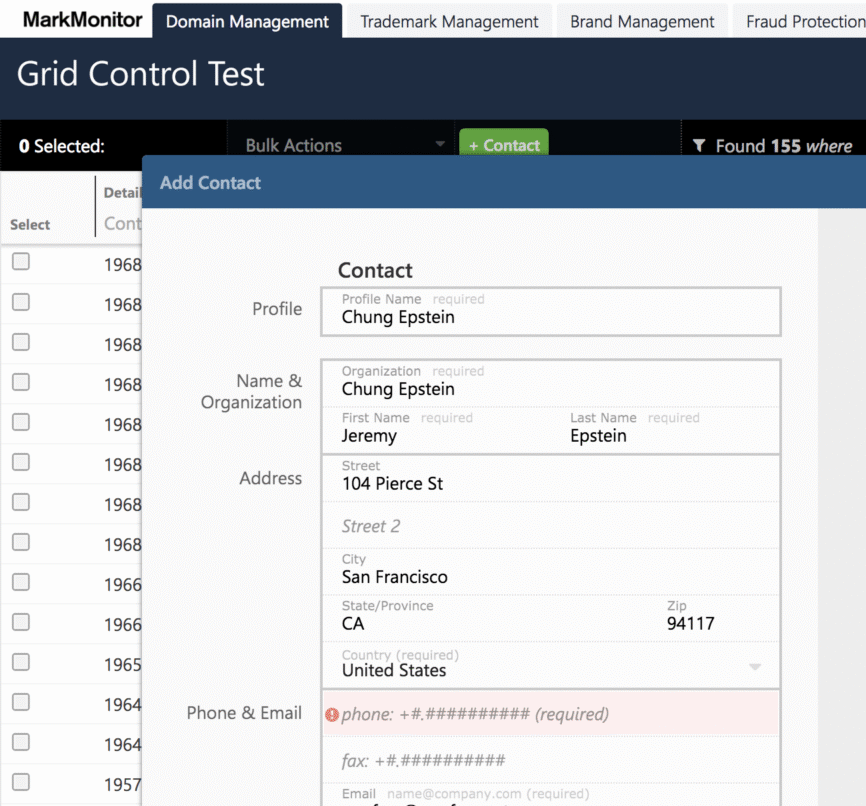
    For a couple of clients, notably MarkMonitor and Exigen Information Systems(EIS), I created alternate cascading stylesheets (CSS) to visually bring large parts of circa 2001/2 web apps to feel up to date and match new features without touching any working code.

    When asked about how design matters, entrepreneurs and sales (GTM) tell me its about perception. Imagine soldiers on parade or crown molding in a show house. A tidy, consistent, current, and inoffensive visual language speaks to tidy, consistent, competent set of engineering underneath. Even if its a lie. Especially if you need time to make code that lives up to the polish.

    Now armies don’t fight like they parade. House buyers don’t pay for good insulation or careful plumbing: they can’t see hidden insulation or careful construction the way they see visible crown molding. Look + feel creates a story for buyers about the underlying quality they can’t see. Ask any software engineer whose worked on some product admired by users and you will hear stories about old code, sloppy code, code layered with many changes from many hands.

    Another reason for a bridge: most products have some bits that have been around forever and generally just work. These could be perfectly usable. A different, older look and feel might speak “incompatible with the new stuff.” Deeply updating the code won’t benefit customer acquisition or retention, but a little css touchup keeps them from loking their age.

  • Quick Release Urban Bike Bag For a Moulton

    Quick Release Urban Bike Bag For a Moulton

    Follow thru and experimentation is the only way to design technical projects

    Frame attached bags for city bikes need to solve for technical and practical problems.

    Carried loads should remain undisturbed, even when cornering, hitting bumps, tram tracks, or emergency braking. Cyclists need to be able to quickly detach the bag and its contents off the bike to leave nothing tempting for thieves. Bags should resist weather and abrasion while staying reasonably light.

    As a commuter with errands, I had a few more rerquirements: THe bag should be trim enough to carry into a musuem with a laptop and sketchbook, but with the expansion capactiy to bring groceries or takeout home when Priss texted asking forr bread and milk.

    Why create something new?

    Why not panniers or a basket? Well, neither fit easily to my bike. Panniers have good technical attributes such as center fo gravity and quick release, but poor practicality when carrying bulk items such as our ‘friday sushi’ upright. Panniers also tend to carry quick release harware that can snag on things. Its always better to balance pannier loads by having 2 but this is less convieineint for carrying into buildings. Retrofit baskets tend to work well for carrying but can affect handling if loaded. They still need bags. And why not pbackpacks? Its not a great idea for my back.

    Early Idea, First try

    This was my first bag design, and a with first of everything, somethings just always go wrong.

    Sizing was done by fitting a cardboard maquette, then doing tech drawings. For attachement, I thought the bag could quick secure by hooking under the back platform then anchor to a stap attched to the seat tube. The bag would slip between bars on either side of the platform to provide three points of connection and lateral stabilty. A laptop pocket on the bottom provides additional stability as the laptop and padding provide dimensional support. two standard buckles on either side allowed me to attach a shoulder strap. An expanadble compartment coverted the bag from a laptop bag to a duffel large enough for a full grocery load, bulky takeout, or a weekend trip.

    Tough Traveler in my hometown of schectady did the cutting and sewing of the prototype.

    Fast forawrd a few weeks and a prototype shipped to me.

    First fail:

    Just before fabrication started, I looked to see how close the template came to my cycling shoes when pedalling, by pedalling stationary and photographing the overlap. Turns out that more than 1/2 inch of overhang with the plaform back results in a heel strike. A quick adjustment fixed this and drove the next issue.

    The follow on fail

    IN adjusting the bag shape, there wasn’t enough lateral support from the foam reinforced cordura. The bag would swing wildly by the seatpost with no provocation.

    A solution from unexpected places:

    In experimenting with by wrapping the shoulder strap around the platform back, I could stabilize the bag.

    The fix idea came when we had a cushion fixed for a smooth surface wooden bench in our place: upholsterers commonly glue or staple high friction fabric to slick surfaces to keep cushions from moving. I created a paper template for a matching sleeve on the platform back also made of cordura, with matching buckles to snap the bag into– the friction of the fabric and buckles kept things in place. The fabricated sleeve returned a couple weeks later

    Its been a couple of years and the bag proved itself- with groceries, commuting, short trips, bike-packing.